Bringing Hotel Interiors to Life with AI: Three Venues, One Stack
Nine architectural shots across three venues — an Indian restaurant in Vienna, an alpine wellness lodge, and a safari setup — populated with people and atmosphere without the architecture drifting. The pipeline, the tradeoffs, and three before/after sliders to play with.
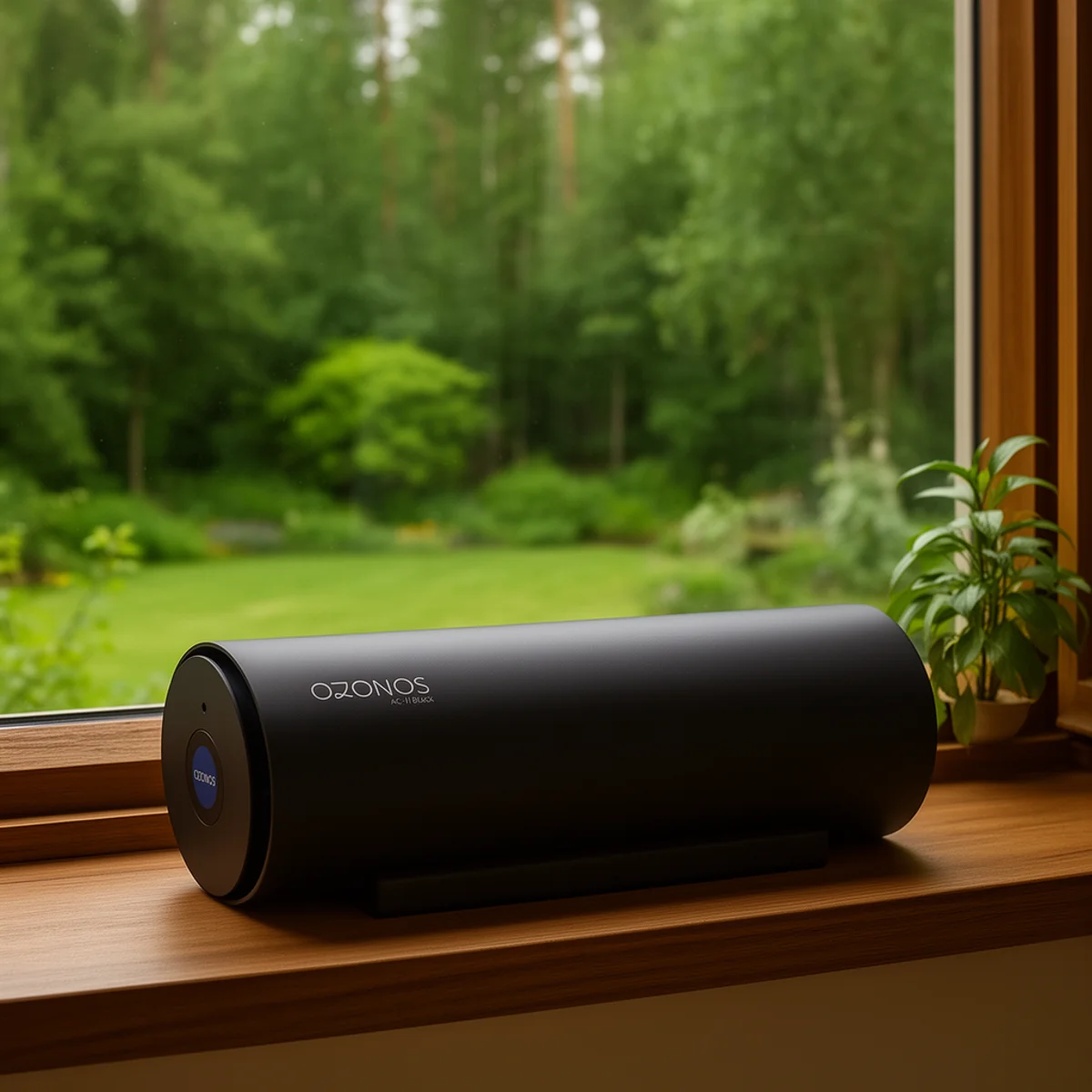
A few weeks ago I wrote about what we get with Flux 2 Dev locally on an RTX 5090 — product shots from scratch, no API costs. This story is a different one.
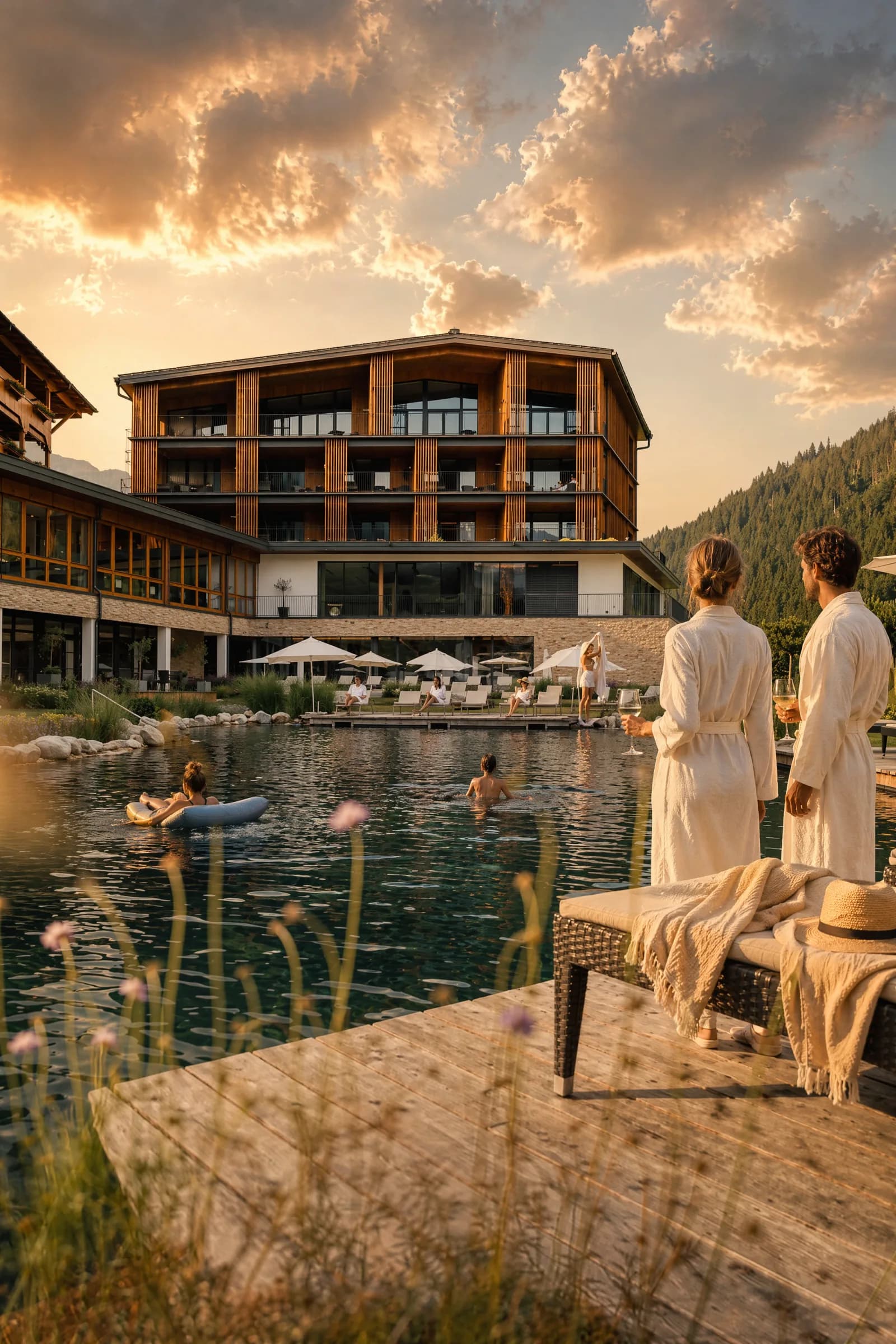
This is about empty hotel interiors brought to life with AI. Concretely: nine architectural shots from three very different venues — an Indian restaurant in Vienna, an alpine wellness lodge in Salzburg, and a safari-style tented lodge. Populated with people, mood and time of day without the rooms changing.
The stack is API-based: gpt-image-2 through an OpenAI-compatible endpoint, Claude as orchestrator. Three sliders below show what comes out.
The stack
- Model:
gpt-image-2via an OpenAI-compatible endpoint (client.images.edit(...)with the real photo as reference) - Orchestrator: Claude — assembles prompts from reusable blocks, dispatches parallel batches, judges output via vision
- Output tiers:
low(around $0.007),medium(around $0.025),high1024×1536 (around $0.15),medium2048×3072 (around $0.17) - Wall-clock: 6–12 s at
low, 50–180 s atmedium 2048×3072with one reference image
The choice of images.edit over images.generate is the entire lever. Edit takes the real photo as input and treats the prompt as instructions for how to handle it. The result is an enriched image — not an invented scene that imitates the original.
Three venues, nine shots
We ran one batch: three venues, three shots each, one shared prompt stack. The three below illustrate what works — and what drifts.
Suite — preserve the architecture, add inhabitation
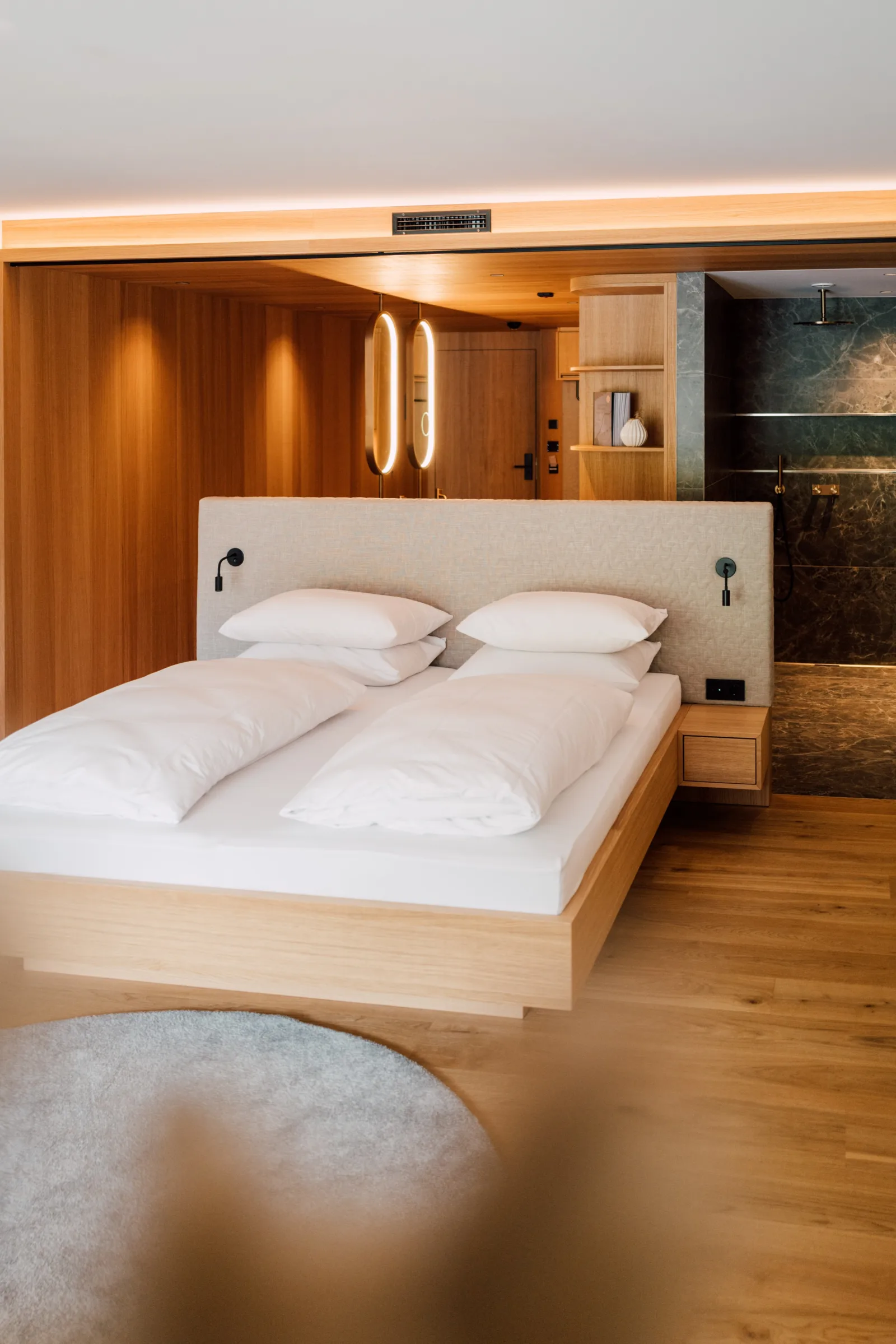
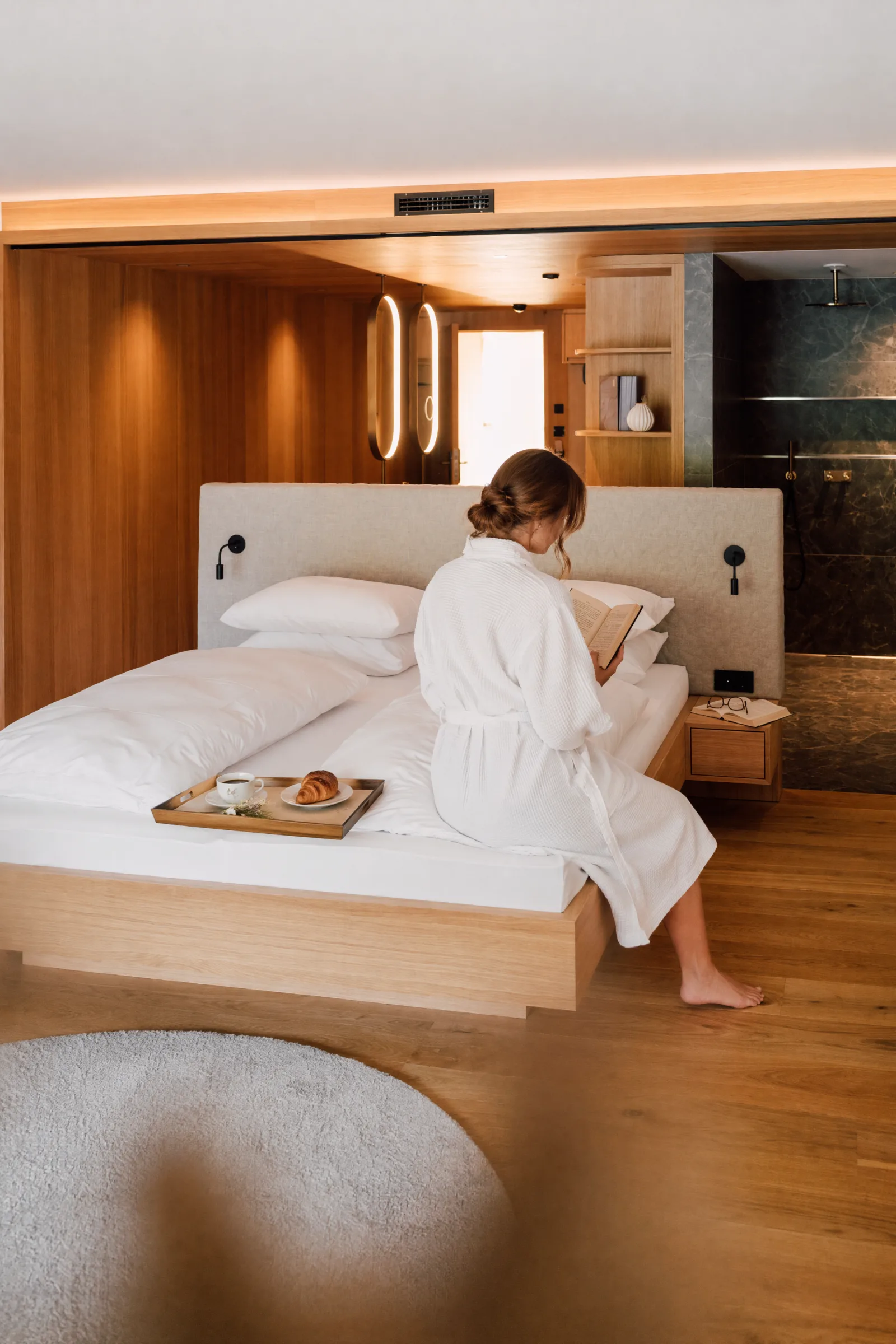 BeforeAfterSuite — same architecture, new inhabitation. Drag the slider to compare.
An empty suite: oak panel walls, two ovoid pendant lights, walk-in marble bathroom on the right. In the output: same architecture, same lights, same bathroom — but a woman in a white waffle robe sits on the edge of the bed reading a book, breakfast tray with coffee and croissant on the duvet.
This is PRESERVE_LOCK working as intended. Bed, panel walls, pendant lights, bathroom — all in place. What changes: inhabitation.
Restaurant — daytime canteen to evening service
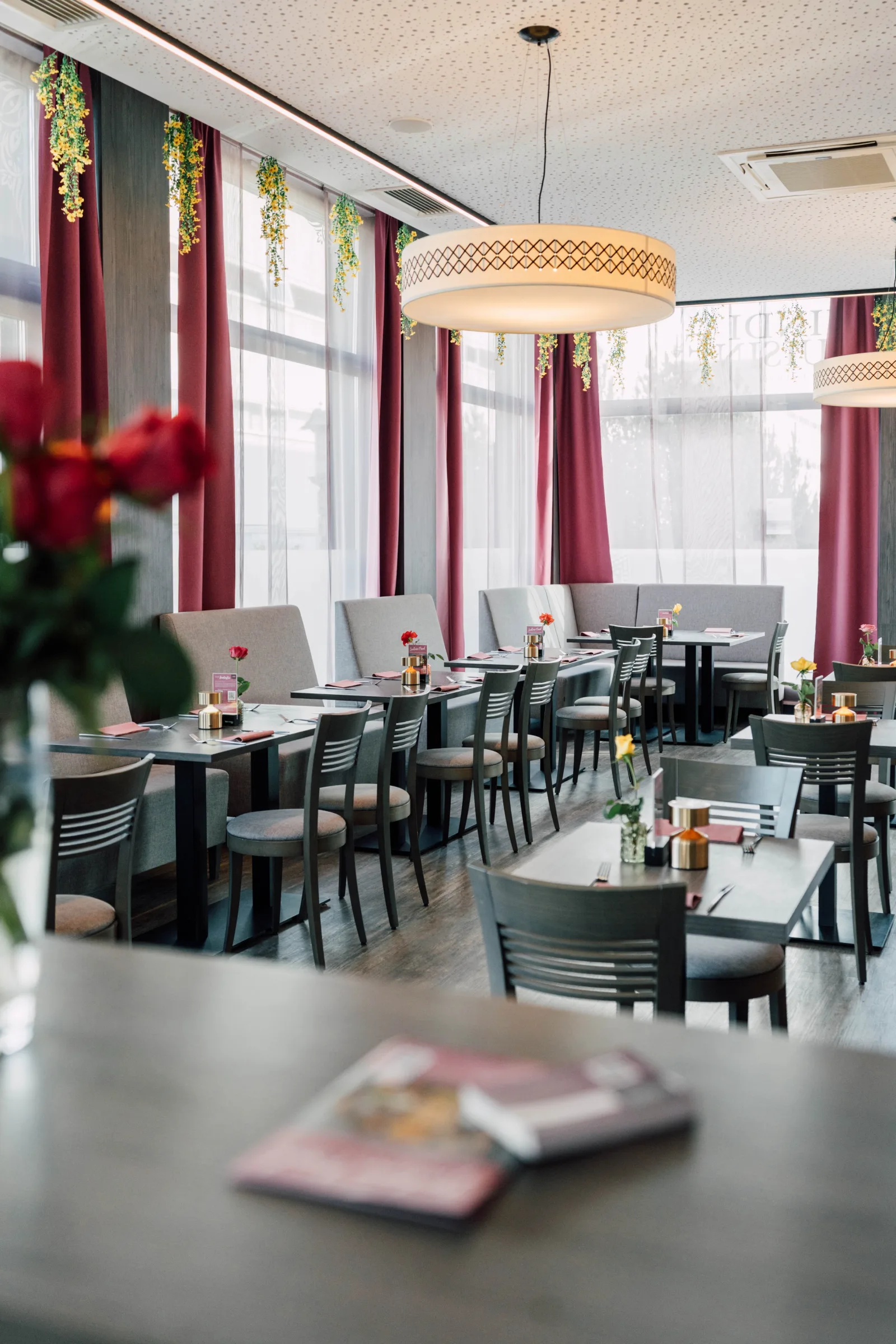
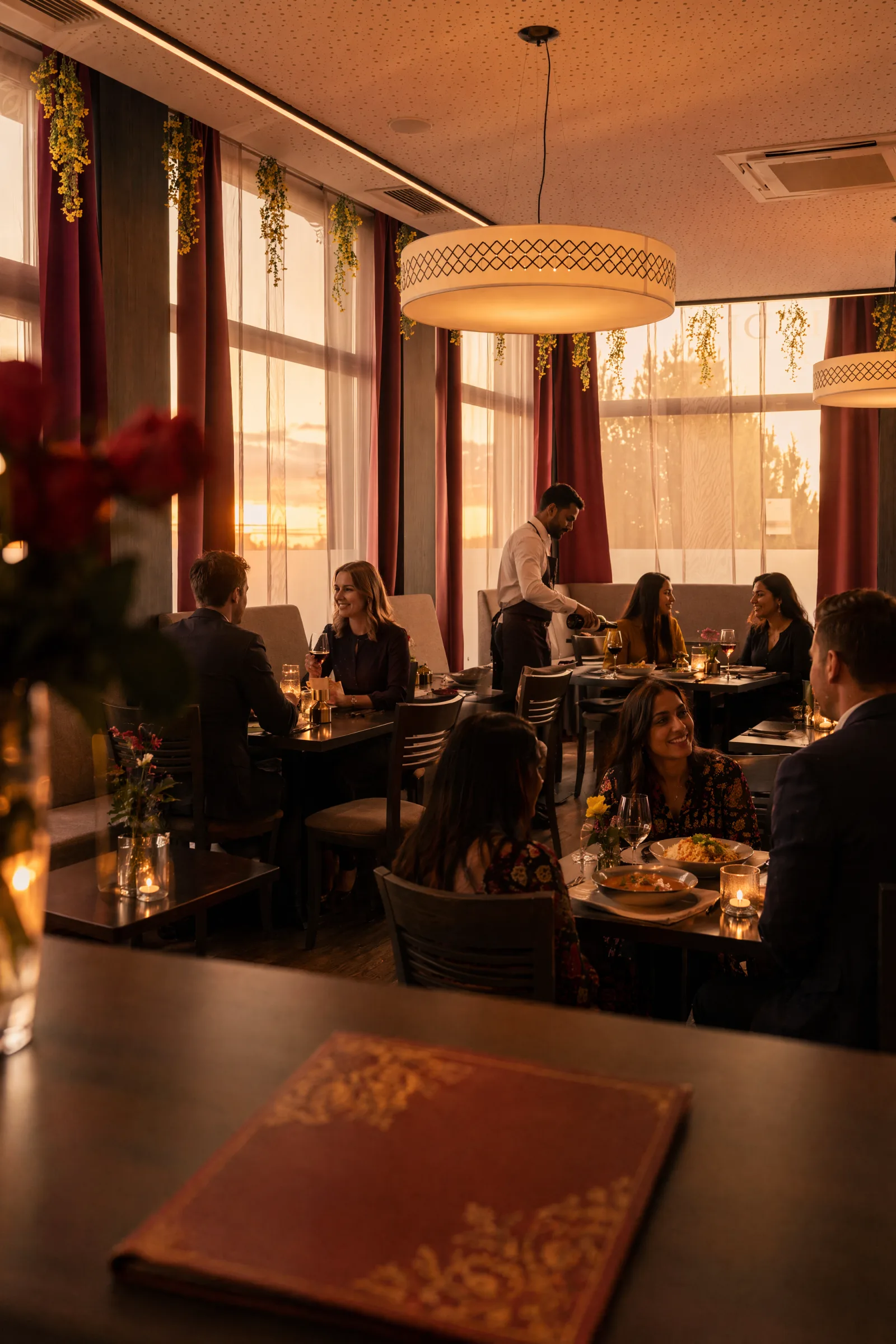 BeforeAfterRestaurant — cool midday becomes warm evening service with diners and a waiter.
Original: empty dining room in cool daylight. Output: same seating layout, same pendant light — but sunset light, multiple table groups, a waiter with a tray, wine glasses, an open menu in the foreground.
This is where the dominant transformation becomes visible: not just people, but a time-of-day shift. Cool midday becomes warm golden hour. That's the largest change in the frame — bigger than the people themselves.
An honest observation: the hanging yellow flower garlands in the original came out as hanging orange tassel strands in the output. The model preserved the form (decoration hanging from the lintel) but reinterpreted the specific element. Acceptable for concept decks; for brand print this would be a correction cycle.
Safari lodge — mood over everything
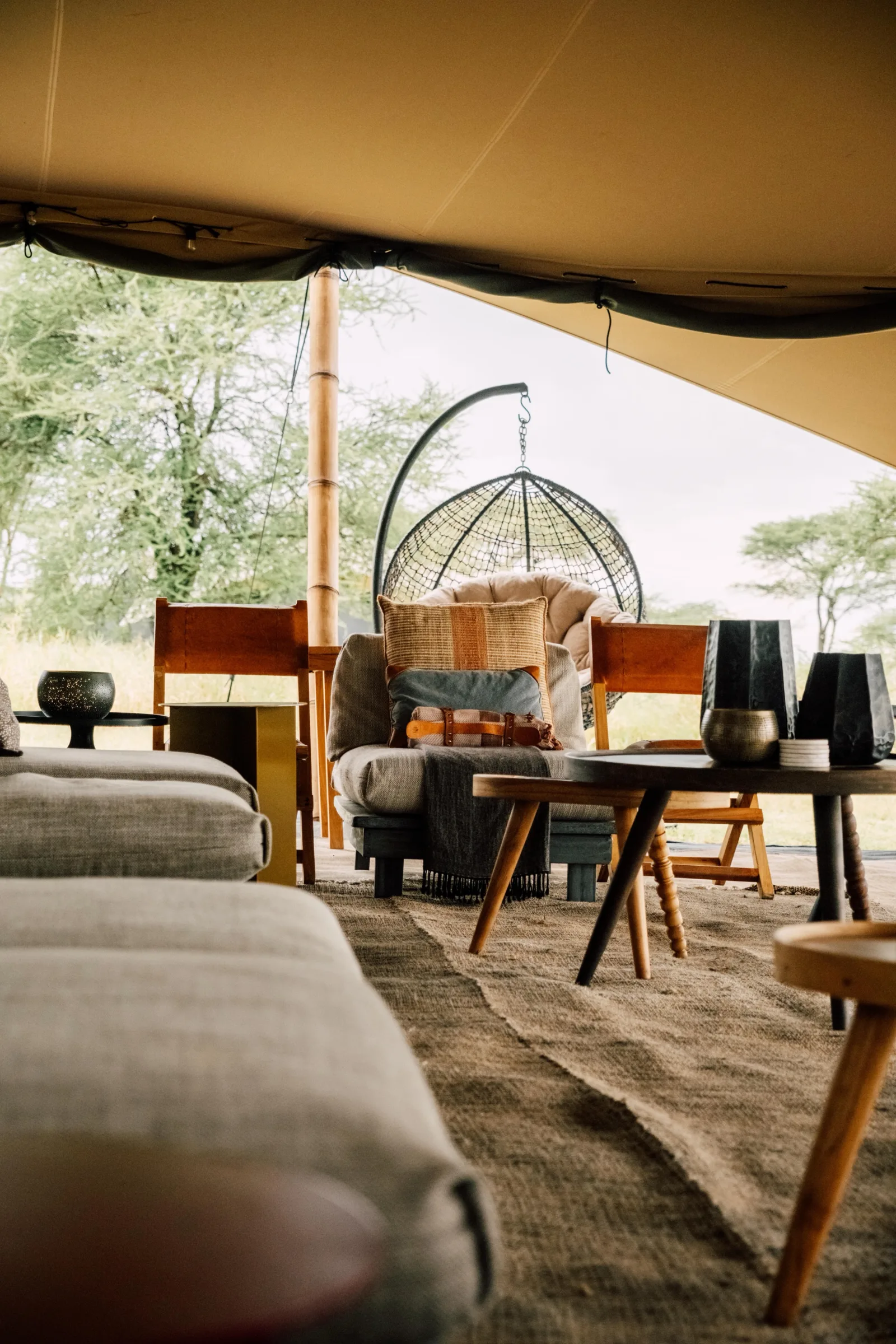
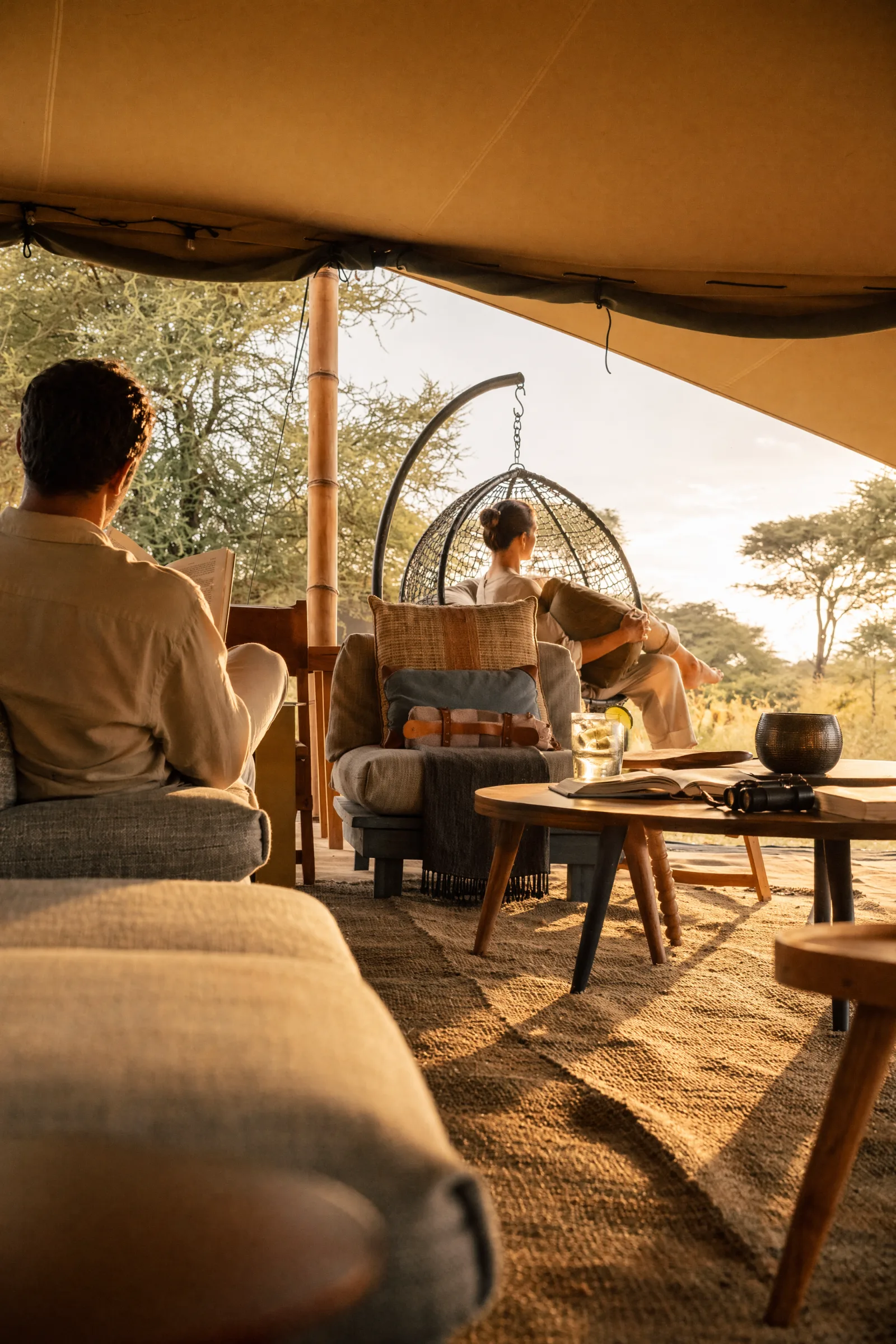 BeforeAfterSafari tent — same furniture, completely different mood. Golden hour, two figures in beige linen.
A tented lounge with a hanging rattan egg chair and sofas. Output: golden hour, two figures in beige linen, both gazing contemplatively at the savanna, drinks on the table.
Two observations at once: First, how powerful the mood shift is — same furniture, completely different atmosphere. Second, that our PEOPLE_LOCK instruction "mix angles, not all back-turned" hasn't fully landed yet in this batch. Both figures are shown from behind. For a contemplative safari setting it works aesthetically — but for a restaurant we'd want more 3/4-frontal faces, and the next iteration needs to push PEOPLE_LOCK harder.
The three-block stack
Behind these outputs sits a constant schema:
PRESERVE_LOCK — "preserve composition, framing, perspective, architecture, materials, fixtures, furniture placement; only add/change what is described below; never add text/logos/watermarks/signage."
This is the insurance against the main risk: drift. Without this block the model starts changing wall colors, shifting furniture, or inventing signage.
PEOPLE_LOCK — "photogenic, late 20s–40s, magazine-editorial grooming, healthy posture, natural warm expressions; mix of angles — some 3/4 frontal in soft focus, some profile, some back-turned (do NOT make every figure back-turned, that reads sterile); avoid extreme close-up frontal hero faces unless requested; hands and limbs natural; not stock-photo, not AI-uncanny."
STYLE block per venue — demographics and wardrobe palette. Indian restaurant in Vienna: "European + South Asian guests, smart-casual evening attire, no costume." Alpine lodge: "modern editorial alpine linen and wool, no folkloric tracht." Spa area: "white waffle robes, cream linen, neutral swimwear." Safari tent: "safari-appropriate beige linen, soft tailored, no costume pith helmets."
These three blocks get assembled per shot. But the schema is constant — and that's what makes scaling possible.
Tradeoffs you have to know
1. Time of day is your choice — or the model's. Across all nine shots in our batch, the model tilted from cool daylight into warm golden hour. That's the largest change in the frame — bigger than the people, bigger than any furniture. Lesson: always state the time of day explicitly in the prompt. "Sunset, 6 PM, warm golden tones" if you want it — "midday, neutral 5500K daylight, no warm tint, overcast soft light" if you don't. Leave it out and you get editorial warmth by default. Time of day is a design decision, not a side effect.
2. Fine text renders — but not reliably. This is the trickiest limitation of the pipeline because it's not binary. Sometimes a label comes out cleanly. Sometimes the same text on the next run is letter soup. Printed text on labels, menus or wayfinding lands legibly maybe 30–50% of the time — the rest are letter-like shapes. Consequence for the workflow: never treat a single generation as a final asset if it has text on it. Either plan for 3–5 re-runs and pick, or do text at the compositing step — safer and cheaper than playing roulette.
3. Existing text isn't actively preserved.
PRESERVE_LOCK contains "never add text/logos/watermarks." That rule prevents adding, but it does not compel the model to reproduce existing text on signs, windows or menus. In one restaurant shot a partial brand wordmark on the window glass was visible — gone in the output. If brand text needs to remain visible, it belongs in a separate compositing step.
4. The low → high cost curve is steep.
Roughly 14× difference between low ($0.007) and high ($0.10). Consequence: every new idea starts at low 1024². Composition, scene, scale — all decidable there. Only when those are right do you scale up.
5. Architectural fidelity holds, but decorative elements drift. The big-picture layout — furniture, spatial relations, fixtures — stays surprisingly stable. But specific decorative elements (flower garlands, visible signage, small background objects) get reinterpreted occasionally. Form preserved, detail liberties taken.
6. PEOPLE_LOCK is a tuning process, not a one-shot.
Even with explicit "not all back-turned" language, the model still tends toward back-turned figures. The rule works, but it needs reinforcement across iterations. Expect the first two batches at a new venue to skew rear-view, and plan the correction pass.
Where Claude sits in the pipeline
Three places:
1. Prompt assembly. From a brief description ("lifestyle scene for an alpine hut, breakfast with a family, 2:3 portrait, medium quality, one reference photo") Claude builds the full prompt from the three blocks. Schema validation: every output contains PRESERVE_LOCK, PEOPLE_LOCK and STYLE. Nothing leaves without these three.
2. Batch dispatch. For a venue with nine shots, all nine prompts go to the API in parallel (concurrency 3 — higher doesn't help because the server queues). Nine sequential 90-second calls become ~3 batches of 90 s.
3. Judge step. After the batch, Claude evaluates the nine outputs with vision: does the shot preserve the architecture? Are the people natural or AI-uncanny? Does the time-of-day atmosphere read right? Outputs below threshold get re-run with adjusted prompts. This is the step that turns trial-and-error into a pipeline.
When this pipeline beats a local one
There's no blanket winner. A short heuristic for hospitality enhance jobs:
| Requirement | API pipeline (gpt-image-2) | Local (Flux 2 Dev) |
|---|---|---|
| Spin-up time | Immediate, no GPU | A weekend for ComfyUI setup |
| Per-image cost | $0.007–$0.17 by tier | $0 (electricity) |
| Language quality / "gets what you mean" | Very good | Medium |
| Architectural fidelity for enhance jobs | Very good with PRESERVE_LOCK | Hard |
| Full control over sampler/steps | No | Yes |
| Privacy (processed locally) | No | Yes |
For high-volume iterative hospitality lifestyle enhance: API pipeline. For sensitive brands that shouldn't go to the cloud, or workloads where per-image cost dominates: local setup.
Bottom line
Bringing hotel interiors to life with AI works — with clear limits. Fine text renders unreliably — plan for re-runs or do text at the compositing step; never bet a deliverable on a single generation. Time of day is your choice — state it explicitly or accept the default warmth. On top of that: decorative details drift occasionally, and per-image costs scale with volume.
Within those limits the setup delivers output that's production-ready for concept decks, mood boards, social media and internal presentations — and for many print uses without visible logos as well.
What pays off isn't the single generation. It's the stack: a reusable prompt schema, an orchestrator layer, a judge step. Three building blocks that turn an AI image tool into a pipeline.
Got empty hotel photos that need to come alive? I help with the setup — prompt schema, batch orchestration, quality-tier strategy, compositing handoff. Let's talk →
Chris Perkles
AI consulting, automation and training from Salzburg. Founder of Skyline Medien and AgencyFlow — his own agency now runs on a fraction of its former resources.